
Deepfakes are everywhere. Learn how to spot AI-generated videos and images with these 5 practical detection tips. Protect yourself from misinformation in 2026.
What Are Deepfakes and Why Do They Matter?
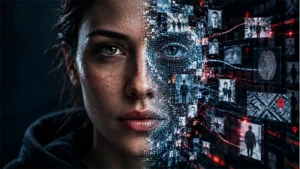
Deepfakes are synthetic media created using artificial intelligence, particularly generative adversarial networks (GANs) and diffusion models. These tools can superimpose faces, manipulate voices, and generate entirely fake videos or images that look startlingly real. In 2026, deepfakes have become more accessible and convincing than ever—posing serious risks to politics, finance, personal reputation, and public trust.
From celebrity impersonations to fake news clips, the rise of deepfakes demands that everyone learn basic detection skills. Fortunately, even the most advanced AI-generated content often leaves subtle clues.
How to Spot AI-Generated Videos and Images
1. Check for Unnatural Facial Movements
Pay close attention to the eyes, lips, and eyebrows. Many deepfake videos struggle with blinking patterns—some subjects blink too rarely or too quickly. Also, look for mismatched lip-sync: the words may not perfectly align with mouth movements. Artificial smoothness or excessive blurring around the face edges is another red flag.
2. Inspect Lighting and Shadows
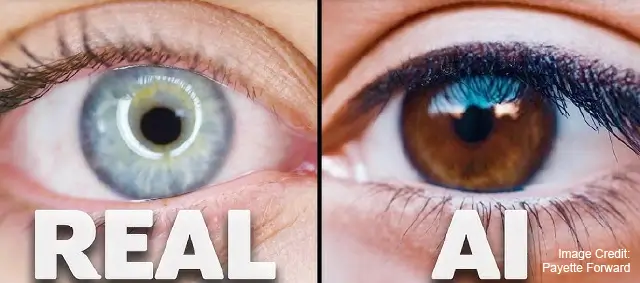
AI often fails to render realistic lighting. Compare the subject’s face to the environment. Is the shadow direction consistent? Does the skin tone match the lighting temperature? In deepfake images, you might see odd reflections in the eyes or metallic surfaces that don’t follow physics.
3. Look for Texture and Resolution Inconsistencies
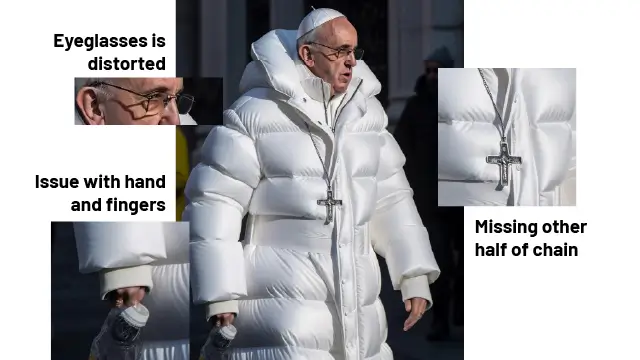
Fake images often have uneven resolution. The face may be sharper than the background, or hair strands may look painted rather than natural. Teeth can appear as a single white blob without individual outlines. Glasses, earrings, and other accessories may warp or disappear at certain angles.
4. Analyze Audio-Visual Sync (For Videos)
If the deepfake includes speech, listen carefully. AI-generated voices may lack natural pauses, breathing sounds, or emotional inflections. The tone might sound slightly robotic or flat. In advanced deepfakes, you can use free tools like Microsoft’s Video Authenticator or Intel’s FakeCatcher to analyze inconsistencies.
5. Use Reverse Image Search and AI Detectors
When in doubt, run the image through Google Reverse Image Search or TinEye to see if it appears elsewhere. Several online detectors—such as Deepware Scanner, Sensity, or Hive Moderation—can analyze media and give a probability score of AI generation. Keep in mind that no detector is 100% accurate, but they provide valuable clues.
Final Thoughts
Deepfakes aren’t going away—but neither is our ability to spot them. By staying informed and practicing these detection techniques, you can become a more critical consumer of online media. Remember: when a video or image seems too shocking or too perfect to be true, it probably is. Pause, verify, and think before you share.