
Picture this: it’s 8 PM, and you just received an email that you have a presentation tomorrow morning. Your stomach drops. But before panic sets in, you open Grok, upload your documents, and ask it to generate a PowerPoint. Four minutes later, you have a polished, fully editable slide deck sitting in your Downloads folder ready to go.
This isn’t science fiction. With the release of Grok 4.3, xAI has quietly introduced native Office document generation—Word files, Excel spreadsheets, and PowerPoint presentations—as a core capability. No plugins, no third party integrations, no copying and pasting between multiple tools. You simply describe what you need, and Grok produces a formatted, ready to download file. Here’s why that matters more than you might think.

From Text to Slides: How It Actually Works
Grok 4.3 doesn’t just summarize your content—it builds structured, design aware presentations. xAI senior engineer Matthew Dabit demonstrated this by feeding Grok a dense neuroscience research paper on tDCS and TMS. The result? A clean, nine slide academic deck with cool tones, strong layouts, and readable fonts, produced in minutes, not hours. Dabit summed it up bluntly: “Stop doing the boring work”.
This is the core of Grok’s presentation capability: you provide source material—a PDF report, a video link, or a text outline—and Grok digests it, organizes the narrative, and outputs a fully formatted PowerPoint file you can edit, share, or present immediately. For business proposals, quarterly reviews, investor pitches, training materials, or conference presentations, the time savings are significant.
The Bigger Shift: Office Files Without Office
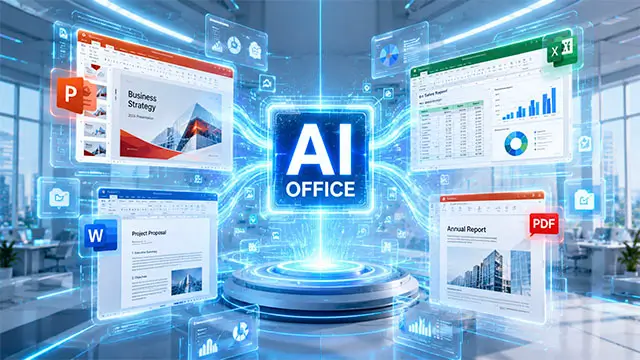
Grok’s move into native file generation signals something larger: AI tools are becoming genuine productivity platforms, not just clever chatbots. Grok 4.3 now supports PowerPoint output, PDF generation, Excel spreadsheet creation, and video input understanding—all from a conversational interface. These capabilities position Grok as a direct competitor to Microsoft’s own AI powered Copilot, marking the first real challenge to Microsoft’s hold on office productivity from outside its ecosystem.
What makes this shift particularly compelling is how Grok 4.3 achieves it. The model introduces persistent reasoning—forcing itself to think through problems before responding—which improves accuracy and its ability to handle complex, multi step requests. Combined with a 1 million token context window and multimodal support for text, images, and video, Grok can process entire research reports or long meeting transcripts in one go.
A Market Hungry for AI Powered Presentations
This push comes at a moment when demand for AI presentation tools is surging.The broader AI presentation tools market could reach $10 billion by 2033. Companies across industries are adopting AI not just for speed, but because creating presentations manually consumes an estimated 20–30% of many professionals’ workweek.
Behind these numbers lies a common pain point: professionals spend far too much time on formatting, alignment, and design—tasks that pull them away from strategic thinking. AI tools that automate this overhead free teams to focus on the narrative, the data, and the audience impact. With Grok 4.3 entering this space, users gain another powerful option in an increasingly competitive landscape that includes Microsoft Copilot, Gamma, and Canva AI.
What to Watch Out For
For all its promise, AI generated presentations still require human oversight. The content you get is a first draft—not a finished product. Research consistently shows that AI generated slides can feel formulaic, may miss important narrative nuance, and sometimes contain factual inaccuracies or hallucinations. Presenters who skip their own review risk delivering what experts call “unearned talks”—presentations where the speaker cannot fully engage with or defend the material.
AI tools work best when you treat them as accelerators, not substitutes. Use them to eliminate the drudgery of formatting, not to outsource your thinking. The most effective approach is hybrid: let AI generate the scaffolding, then add your expertise, your voice, and your story.
Bottom Line
Grok 4.3’s ability to generate PowerPoint files directly from source materials isn’t just a neat feature—it’s part of a fundamental rethinking of how we create and communicate at work. By removing the friction between having an idea and having a polished deck, tools like Grok give professionals back their most valuable resource: time. So yes, your next PowerPoint might well be made by Grok 4.3.